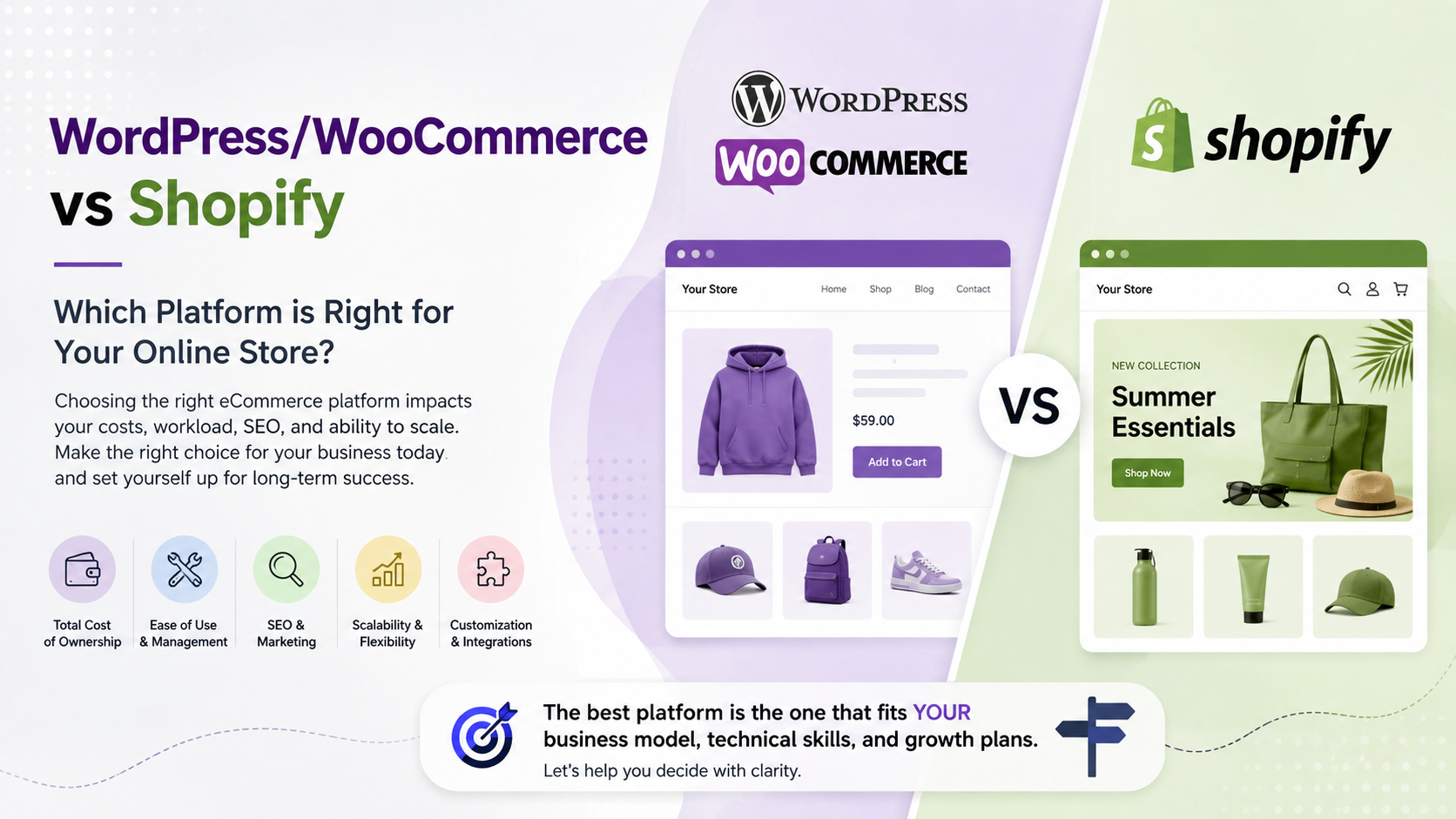
Choosing between WordPress/WooCommerce and Shopify is one of the most consequential decisions you will make when launching or replatforming an online store. This choice shapes your monthly costs, day-to-day workload, SEO potential, and how easily you can scale as the business grows.
Instead of asking, “Which platform is best overall?”, the more useful question is: “Which platform is best for my business model, technical skills, and growth plans?” This guide walks through that decision using real-world scenarios and a transparent view of trade-offs — not just a feature checklist.
What Each Platform Is Fundamentally Built to Do
Before comparing costs and features, it helps to understand the core design philosophy behind each platform, because that philosophy shapes every trade-off downstream.
Shopify: Hosted Ecommerce First
Shopify is a fully hosted ecommerce platform. You pay a monthly subscription, and Shopify provides hosting, core security, checkout infrastructure, payment integrations, and store management out of the box. You are renting a managed environment optimised for selling products.
- Core strengths: Fast setup, secure hosted infrastructure, built-in checkout, a large app ecosystem, and predictable subscription pricing.
- Ideal fit: Product-focused brands, direct-to-consumer (DTC) stores, dropshipping operations, and entrepreneurs who want to start selling quickly without managing servers or technical infrastructure.
- Key trade-offs: Less control over server-level performance tuning, theme code restrictions on lower plans, transaction fees when not using Shopify Payments, and growing reliance on paid apps as your feature needs expand.

WordPress + WooCommerce: A Flexible CMS That Can Sell
WordPress is a content management system (CMS) that becomes a full ecommerce store when you add WooCommerce and supporting plugins. You manage your own hosting — either self-managed or through a managed WordPress host — and you own the full stack.
- Core strengths: Highly flexible content publishing, deep customisation at every layer, access to thousands of themes and plugins, and no platform-level transaction fees.
- Ideal fit: Content-heavy sites (blogs, editorial publications, resource hubs) that also sell products, or businesses with in-house technical capacity and a long-term content strategy.
- Key trade-offs: You carry responsibility for hosting reliability, security patching, plugin compatibility, performance optimisation, and ongoing maintenance.
The clearest summary: Shopify is an ecommerce appliance — plug it in and it works. WordPress is a flexible publishing engine that can be configured into a powerful store, but it requires more hands-on ownership to run well.
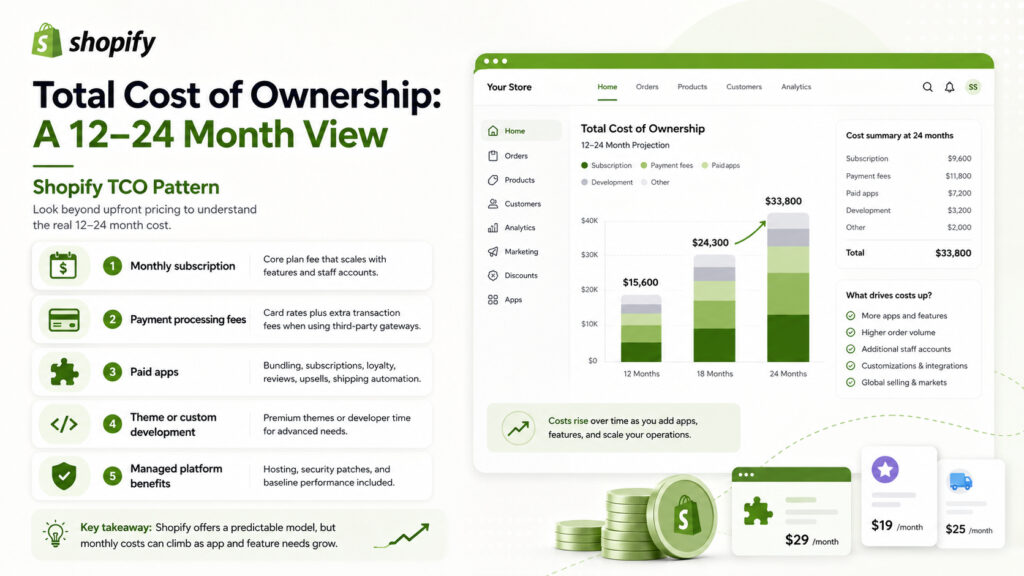
Total Cost of Ownership: A 12–24 Month View
Upfront pricing tables rarely show the full picture. To avoid budget surprises, you need to look at total cost of ownership (TCO) over 12–24 months, including the hidden costs that most comparison articles skip over.
Shopify TCO Pattern
With Shopify, your recurring costs typically include:
- Monthly subscription: The core plan fee, which scales with features and staff accounts.
- Payment processing fees: Standard card processing rates, plus an additional platform transaction fee if you use a third-party payment gateway instead of Shopify Payments.
- Paid apps: Many stores add multiple paid apps for features like product bundling, subscriptions, loyalty programmes, advanced reviews, upsells, and shipping automation. These costs compound quickly.
- Theme or custom development: A premium theme or developer time if you need layouts or functionality beyond the standard options.
This model is predictable and the hosting, core security patches, and baseline performance are handled for you. The risk is that your monthly bill can climb significantly as your app stack grows — a common pattern for stores that have been running for 12 months or more.
WordPress + WooCommerce TCO Pattern
With WordPress and WooCommerce, costs are distributed differently:
- Hosting: Shared hosting works for very small stores, but most growing stores need VPS or managed WordPress hosting, which costs more as traffic and complexity increase.
- Premium plugins: Payment gateways, advanced shipping, caching, SEO suites, membership or subscription features, and security plugins all carry annual licence fees.
- Maintenance and development: Time or budget for core and plugin updates, backups, troubleshooting plugin conflicts, and periodic performance optimisation work.
- Security: Unlike Shopify, you are responsible for your own security posture — firewall configuration, malware scanning, and responding to vulnerabilities in plugins.
WordPress can be cost-effective for small, lean stores. However, the costs show up in maintenance effort and occasional development spend rather than in a single monthly subscription line. For businesses without internal technical capacity, this hidden labour cost is often underestimated.
TCO Decision Checklist
Before committing to either platform, answer these questions honestly:
- How many must-have features will require paid apps or plugins on each platform?
- Do you have internal technical capacity, or will you regularly hire external developers?
- How quickly do you expect your product catalogue, traffic, and feature requirements to grow?
- Are you comfortable managing hosting, backups, and security updates yourself?
- What is the cost of downtime or a security incident to your business?
Maintenance and Security: Who Does What?
One of the most underappreciated differences between the two platforms is the operational burden of keeping your store running securely and reliably.
With Shopify, the platform handles core infrastructure security, PCI compliance for payments, and platform-level updates. Your responsibility is limited to keeping your theme and app configurations sensible. This is a significant operational advantage for small teams.
With WordPress, you own the full maintenance stack: core WordPress updates, WooCommerce updates, plugin updates (which must be tested for compatibility), theme updates, hosting-level security, SSL management, and backup strategy. A missed plugin update is a common entry point for security incidents on self-hosted WordPress stores.
If your team does not have a developer or a managed WordPress hosting plan that handles updates automatically, the maintenance burden of WordPress is a real operational risk — not just an inconvenience.
SEO and Content Strategy: Where WordPress Has a Structural Advantage
For businesses where content marketing and organic search are central to their growth strategy, WordPress has a structural advantage that is worth understanding clearly.
WordPress was built as a CMS first. Its content architecture — categories, tags, custom post types, taxonomies, and flexible URL structures — is designed for publishing at scale. Combined with a plugin like Rank Math or Yoast SEO, you get granular control over every on-page SEO element. Building a content hub, resource library, or editorial blog alongside your store is natural in WordPress.
Shopify has improved its blogging and content capabilities significantly, but it remains a product-first platform. Its URL structure for blog content is less flexible, and deep content architecture (multiple content types, complex taxonomies) requires workarounds. For stores where content is a secondary channel rather than a primary growth driver, this is not a meaningful limitation. For content-led ecommerce businesses, it is.
If SEO and content marketing are core to your acquisition strategy, WordPress/WooCommerce is the stronger foundation. If you are primarily a product-driven store that publishes occasional blog posts, Shopify’s content tools are sufficient.
Scalability and Growth: When Each Platform Starts to Show Limits
Both platforms can support significant scale, but they hit different ceilings and in different ways.
Shopify scales reliably at the infrastructure level — you do not need to worry about server capacity as your traffic grows. The ceiling you are more likely to hit is feature and customisation limits: certain checkout customisations require Shopify Plus (a significantly higher price tier), and some advanced integrations are only possible through the API or expensive custom app development.
WordPress scales well in terms of customisation and content architecture, but infrastructure scaling requires active management. A high-traffic WordPress store needs a well-configured hosting environment, a caching strategy, a CDN, and periodic performance audits. Without these, performance degrades under load. If you are working with a development partner who specialises in WordPress performance, this is manageable. If you are running the store yourself, it requires ongoing attention.
For stores expecting rapid traffic growth without a dedicated technical team, Shopify’s managed infrastructure is a meaningful risk reduction. For stores with complex product logic, deep content integration, or highly custom requirements, WordPress’s flexibility is worth the operational investment.
Quick Verdict by Store Type
Rather than declaring a universal winner, here is a practical mapping of store types to the platform that typically fits best:
- DTC product brand, early stage: Shopify. Fast to launch, low maintenance overhead, built-in checkout and payment tools.
- Content-led ecommerce (blog + store): WordPress/WooCommerce. Superior content architecture and SEO flexibility justify the added complexity.
- Dropshipping or print-on-demand: Shopify. Deep integrations with dropshipping and fulfilment apps make this the natural choice.
- SMB with limited technical resources: Shopify. The managed environment reduces operational risk for teams without a dedicated developer.
- Business with existing WordPress site: WordPress/WooCommerce. Adding WooCommerce to an existing WordPress site avoids migration complexity and preserves your content investment.
- High-customisation or complex product logic: WordPress/WooCommerce. The open-source flexibility allows for custom development that Shopify’s architecture may not support without significant workarounds.
Questions to Ask Before You Decide (or Migrate)
Whether you are starting fresh or considering a platform migration, these questions will sharpen your decision:
- Is selling products or publishing content the primary purpose of this site?
- Do you have a developer or technical team available on an ongoing basis?
- What is your realistic monthly budget for platform costs, apps/plugins, and maintenance?
- How important is SEO and content marketing to your customer acquisition strategy?
- Do you need highly customised checkout flows, product configurators, or complex integrations?
- How much risk can you tolerate from platform downtime, security incidents, or plugin conflicts?
If you are leaning toward Shopify and want to ensure your store is set up for performance from day one, the Adsphere Shopify Readiness Framework covers the key technical and strategic checkpoints before launch. If you are already on Shopify and experiencing performance issues, our guide on why Shopify stores slow down covers the 15 most common causes and how to address them.
For businesses that need hands-on help with platform selection, custom development, or post-launch optimisation, our ecommerce website development services cover both WordPress and Shopify builds tailored to your business requirements.
Conclusion
There is no universally correct answer to the WordPress vs Shopify question. The right platform is the one that aligns with your business model, your team’s technical capacity, your content strategy, and your realistic budget — including the costs that do not appear on the pricing page.
Shopify wins on speed to market, managed infrastructure, and low operational overhead. WordPress wins on content flexibility, deep customisation, and SEO architecture. The businesses that struggle most are those that choose a platform based on surface-level comparisons and then discover the operational reality 12 months later.
Use the decision framework and questions in this guide to make a choice you can build on confidently — and if you need expert guidance on either platform, our team is ready to help.